Turtle Exchange
The Turtle Exchange is a community repository of turtle graphics scripts. Browse scripts from other creators, import them with one click, and contribute your own.
Repository: github.com/needmorecowbell/drawfinity_turtle_exchange
Browsing Scripts
Open the turtle panel (Ctrl+`) and click the Scripts button. This opens the exchange browser, which fetches the latest catalog from GitHub.
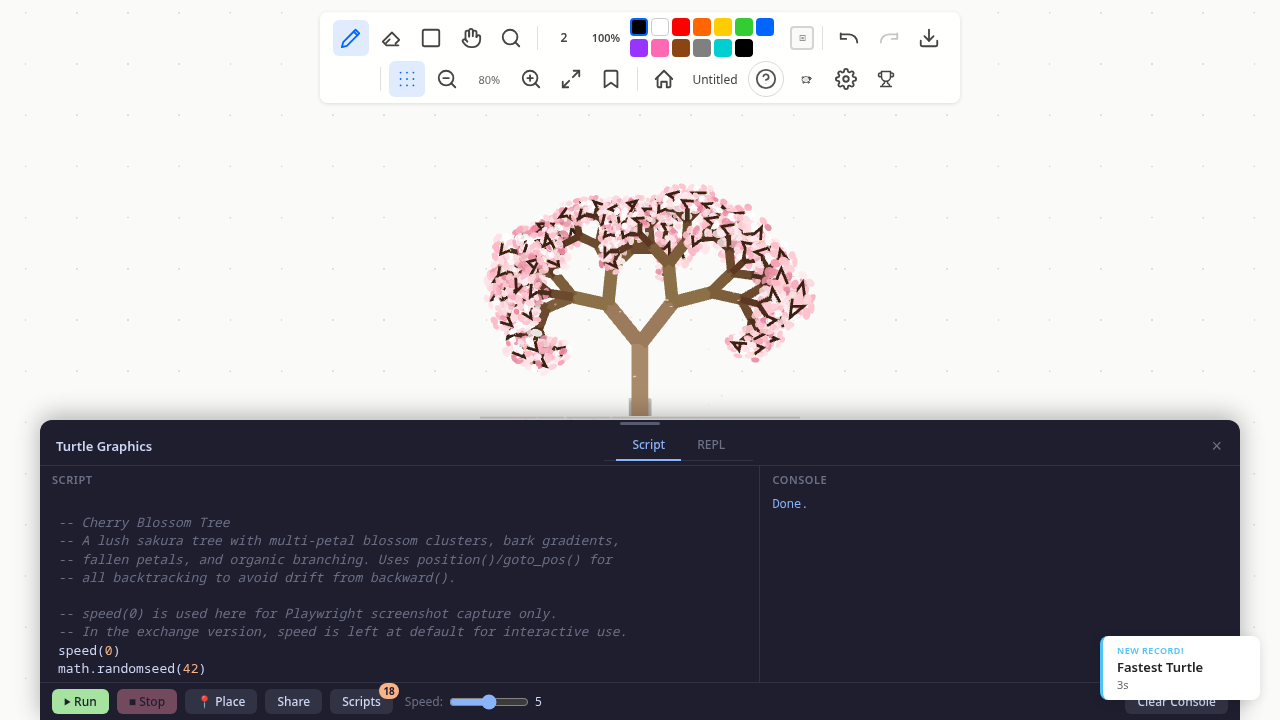
Each script in the catalog shows:
- Title and description
- Author name
- Tags for filtering (e.g.,
fractal,spiral,pattern,math)
Click a script to preview its code, then click Import to load it into the editor. The original script in the editor is not lost — you can switch back anytime.
How It Works
The exchange is a plain GitHub repository with a simple structure:
drawfinity_turtle_exchange/
├── index.json              # Catalog of all scripts
└── scripts/
    ├── koch-curve/
    │   └── koch-curve.lua
    ├── colorful-spiral/
    │   └── colorful-spiral.lua
    └── recursive-tree/
        └── recursive-tree.lua
The app fetches index.json to get the catalog, then fetches individual .lua files on demand. Results are cached locally for 5 minutes so browsing feels instant.
Offline Support
A snapshot of the exchange is bundled with the app at build time. If you're offline or the GitHub fetch fails, the bundled snapshot is used as a fallback — you can still browse and import scripts.
The snapshot is regenerated with:
npm run exchange:snapshotWriting a New Script
A turtle exchange script is a standard .lua file using the Turtle API. Here's how to write one that works well in the exchange.
Script Guidelines
- Start with
speed(0)for complex drawings — users can always slow it down later. - Use
clear()at the top if your script is designed to be re-run, so previous output doesn't overlap. - Set colors and pen width explicitly — don't assume the default state.
- Keep the canvas centered — start drawing near
(0, 0)or usegoto_pos()to offset. The turtle always starts at the placed origin. - Add comments explaining the algorithm — the code will be read by other users.
- Print progress for long-running scripts using
print()so users know it's working.
Example Script
-- Golden Spiral
-- Approximates a Fibonacci spiral using quarter-circle arcs.

speed(0)
clear()

pencolor(218, 165, 32)  -- gold
penwidth(2)

local size = 5
local phi = (1 + math.sqrt(5)) / 2  -- golden ratio

for i = 1, 15 do
  -- Draw a quarter-circle arc by stepping through small angles
  local radius = size
  local steps = math.max(10, math.floor(radius / 2))
  local step_angle = 90 / steps
  local step_length = (2 * math.pi * radius * (90 / 360)) / steps

  for j = 1, steps do
    forward(step_length)
    right(step_angle)
  end

  size = size * phi
end

print("Golden spiral complete!")
Contributing to the Exchange
To add your script to the exchange:
1. Fork the Repository
Fork drawfinity_turtle_exchange on GitHub.
2. Create a Script Folder
Create a new folder under scripts/ with a kebab-case name matching your script:
scripts/my-awesome-pattern/
└── my-awesome-pattern.lua
The folder name and .lua filename must match — this becomes the script's id.
3. Add to the Index
Add an entry to index.json:
{
  "id": "my-awesome-pattern",
  "title": "My Awesome Pattern",
  "description": "A mesmerizing geometric pattern using nested polygons.",
  "author": "Your Name",
  "tags": ["pattern", "geometry"],
  "path": "scripts/my-awesome-pattern",
  "version": "1.0.0"
}
Index Fields
| Field | Required | Description |
|---|---|---|
id | Yes | Unique identifier, matches folder and filename (kebab-case) |
title | Yes | Display name shown in the browser |
description | Yes | Brief description (1-2 sentences) |
author | Yes | Your name or handle |
tags | Yes | Array of categorization tags |
path | Yes | Relative path to the script folder |
version | Yes | Semver version (bump when you update the script) |
4. Test Your Script
Before submitting:
- Open Drawfinity and paste your script into the turtle editor
- Run it and verify it draws correctly
- Try it at different canvas positions and zoom levels
- Make sure it runs cleanly with
speed(0)(no errors in console)
5. Submit a Pull Request
Push to your fork and open a pull request. Include:
- A brief description of what the script draws
- A screenshot of the output (optional but encouraged)
Once merged, the script will appear in every Drawfinity user's exchange browser within 5 minutes (the cache TTL).
Versioning
Scripts use semver versioning. When you update a published script:
- Bump the
versionfield inindex.json - The app detects newer versions by comparing the remote version against the locally cached version
- Users see updated scripts automatically on their next browse
Build-Time Snapshots
For contributors to the main Drawfinity app, the exchange snapshot can be regenerated:
npm run exchange:snapshot          # Fetch from GitHub
npm run exchange:snapshot -- --local ../drawfinity_turtle_exchange  # From local clone
This writes src/turtle/exchange/exchange-snapshot.json, which is bundled with the app as the offline fallback.